


While working on a client project in Ibexa Commerce, I needed to add a discriminating attribute on a product type to contain a simple text. Unfortunately, Ibexa Commerce does not natively include this type of attribute.
If the attribute concerned the product and not the variants, I could have simply replaced the attribute with a content field, since products are contents. For variants, however, I am limited by the existing attribute types.
So I started to examine the Ibexa Commerce code to understand how attribute types are managed, and to be able to create my own. In the end, it consists of a table to store the data, a few PHP classes, and a bit of service configuration.
Declaration
First, a bit of configuration to declare the attribute type. In your services configuration:
services:
   app.commerce.attribute_type.string:
       class: Ibexa\ProductCatalog\Local\Repository\Attribute\AttributeType
       arguments:
           $identifier: string
       tags:
           -   name: ibexa.product_catalog.attribute_type
               alias: string
We simply declare a new attribute type with a string identifier. This identifier will be reused to link to other services used by our attribute type.
Table
Ibexa Commerce stores product attributes in ibexa_product_specification_attribute_* tables, one per attribute type. So I'll do the same and create an ibexa_product_specification_attribute_string table.
Here is the associated Doctrine migration:
<?php
declare(strict_types=1);
namespace DoctrineMigrations;
use Doctrine\DBAL\Schema\Schema;
use Doctrine\Migrations\AbstractMigration;
final class Version20240122141124 extends AbstractMigration
{
   public function up(Schema $schema): void
   {
       $this->addSql("CREATE TABLE ibexa_product_specification_attribute_string (id INT NOT NULL PRIMARY KEY, value VARCHAR(255) NULL, CONSTRAINT ibexa_product_specification_attribute_string_fk FOREIGN KEY (id) REFERENCES ibexa_product_specification_attribute (id) ON UPDATE CASCADE ON DELETE CASCADE);");
       $this->addSql("CREATE INDEX ibexa_product_specification_attribute_string_value_idx ON ibexa_product_specification_attribute_string (value);");
   }
   public function down(Schema $schema): void
   {
       $this->addSql("DROP TABLE ibexa_product_specification_attribute_string");
   }
}
Persistence
Now that I have my table, I need to tell Ibexa how to store my values. First, I create a class to represent the table structure:
<?php
declare(strict_types=1);
namespace App\Commerce\Attribute\String;
use Doctrine\DBAL\Types\Types;
use Ibexa\Contracts\ProductCatalog\Local\Attribute\StorageDefinitionInterface;
class StringStorageDefinition implements StorageDefinitionInterface
{
   // Liste de colonnes (hors id) avec leur type
   public function getColumns(): array
   {
       return [
           'value' => Types::TEXT,
       ];
   }
   // Nom de la table
   public function getTableName(): string
   {
       return 'ibexa_product_specification_attribute_string';
   }
}
Then a class to convert the table data into application data and vice versa:
<?php
declare(strict_types=1);
namespace App\Commerce\Attribute\String;
use Ibexa\Contracts\ProductCatalog\Local\Attribute\StorageConverterInterface;
class StringStorageConverter implements StorageConverterInterface
{
   // On lit simplement le contenu de la colonne value
   public function fromPersistence(array $data)
   {
       return $data['value'];
   }
   // On met la valeur applicative dans la colonne value
   public function toPersistence($value): array
   {
       return [
           'value' => $value,
       ];
   }
}
And finally, a bit of configuration:
services:
    App\Commerce\Attribute\String\StringStorageConverter:
       tags:
           -   name: ibexa.product_catalog.attribute.storage_converter
               type: string # The identifier of our type
   App\Commerce\Attribute\String\StringStorageDefinition:
       tags:
           -   name: ibexa.product_catalog.attribute.storage_definition
               type: string # The identifier of our type
Edit form
I create a class to build the edit form:
<?php
declare(strict_types=1);
namespace App\Commerce\Attribute\String;
use Ibexa\Bundle\ProductCatalog\Validator\Constraints\AttributeValue;
use Ibexa\Contracts\ProductCatalog\Local\Attribute\ValueFormMapperInterface;
use Ibexa\Contracts\ProductCatalog\Values\AttributeDefinitionAssignmentInterface;
use Symfony\Component\Form\Extension\Core\Type\TextType;
use Symfony\Component\Form\FormBuilderInterface;
use Symfony\Component\Validator\Constraints as Assert;
class StringValueFormMapper implements ValueFormMapperInterface
{
   public function createValueForm(
       string $name,
       FormBuilderInterface $builder,
       AttributeDefinitionAssignmentInterface $assignment,
       array $context = []
   ): void {
       $definition = $assignment->getAttributeDefinition();
       // Les options sont presque copiées/collées telles qu'elles de la classe
       // native IntegerValueFormMapper
       $options = [
           'disabled' => $context['translation_mode'] ?? false,
           'label' => $definition->getName(),
           'block_prefix' => 'string_attribute_value',
           'required' => $assignment->isRequired(),
           'constraints' => [
               new AttributeValue([
                   'definition' => $definition,
               ]),
           ],
       ];
       if ($assignment->isRequired()) {
           $options['constraints'][] = new Assert\NotBlank();
       }
       // J'ajoute un champ texte, comme ma valeur est une simple string
       $builder->add($name, TextType::class, $options);
   }
}
And again, a bit of setup:
services:
   App\Commerce\Attribute\String\StringValueFormMapper:
       tags:
           -   name: ibexa.product_catalog.attribute.form_mapper.value
               type: string # The identifier of our type
Display
And finally the last step, I create a class to tell Ibexa how to format this value for display:
<?php
declare(strict_types=1);
namespace App\Commerce\Attribute\String;
use Ibexa\Contracts\ProductCatalog\Local\Attribute\ValueFormatterInterface;
use Ibexa\Contracts\ProductCatalog\Values\AttributeInterface;
class StringValueFormatter implements ValueFormatterInterface
{
   public function formatValue(AttributeInterface $attribute, array $parameters = []): ?string
   {
       // Since my value is already a string, I return it as is
       return $attribute->getValue();
   }
}
And the last piece of configuration:
services:
   App\Commerce\Attribute\String\StringValueFormatter:
       tags:
           -   name: ibexa.product_catalog.attribute.formatter.value
               type: string # The identifier of our type
Conclusion
Despite the lack of documentation on the subject, the associated code is simple and clear. In my case, I simply copied/pasted the code associated with the Integer type and adapted it for a string. For a more complex type, I could have taken inspiration from the SingleMeasurement type, which stores both a numeric value and a unit.
Nos derniers articles

Code généré par IA, Shadow Dev et dette technique : comment éviter la déstabilisation de votre application PHP/Symfony ?
Si les assistants IA ont révolutionné la production de code en accélérant significativement le développement, ...

Nouveautés de Dataflow : stockage des logs en fichier, et nettoyage automatisé de l'historique
Vous en avez marre d'avoir les logs de vos jobs dans la base de données ...
Comment utiliser les paramètres avec ibexa_render et ibexa_render_location
Si vous développez sur Ibexa depuis quelques années, vous avez pris pour habitude de passer ...
Reprise de la maintenance du provider Apple pour PHP League OAuth2 Client
Code Rhapsodie reprend la maintenance du package oauth2-apple de Patrick Bussmann. Ce fork garantit la ...
Nouvelle fonctionnalité de suggestion de mots-clés au connecteur Gemini pour Ibexa
La suggestion de mots-clés de Taxonomy est disponible dans Ibexa DXP avec le pack de ...

Split a large SQL file into smaller ones for easier import
Importing a very large SQL file can be problematic, sometimes causing your virtual machine (VM) ...

Sylius vs Shopware : Quelle architecture choisir pour votre futur e-commerce ?
Sylius et Shopware sont deux outils (framework) permettant la réalisation d'un site e-commerce. Comment choisir ...
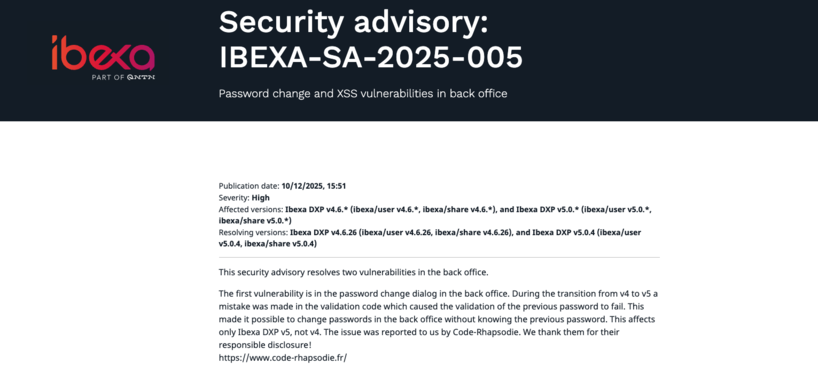
Ibexa announces the release of a new LTS version with contributions from Code Rhapsodie
Ibexa published a security advisory and subsequently released new versions of Ibexa DXP v4.6.26 and ...

Connecteur Mistral pour les actions IA d'Ibexa
Connaissez-vous les Actions IA (AI Actions) d'Ibexa ? Les AI Actions, sont une solution extensible ...